Prerequisites
- Sign in with an account that has organization admin rights.
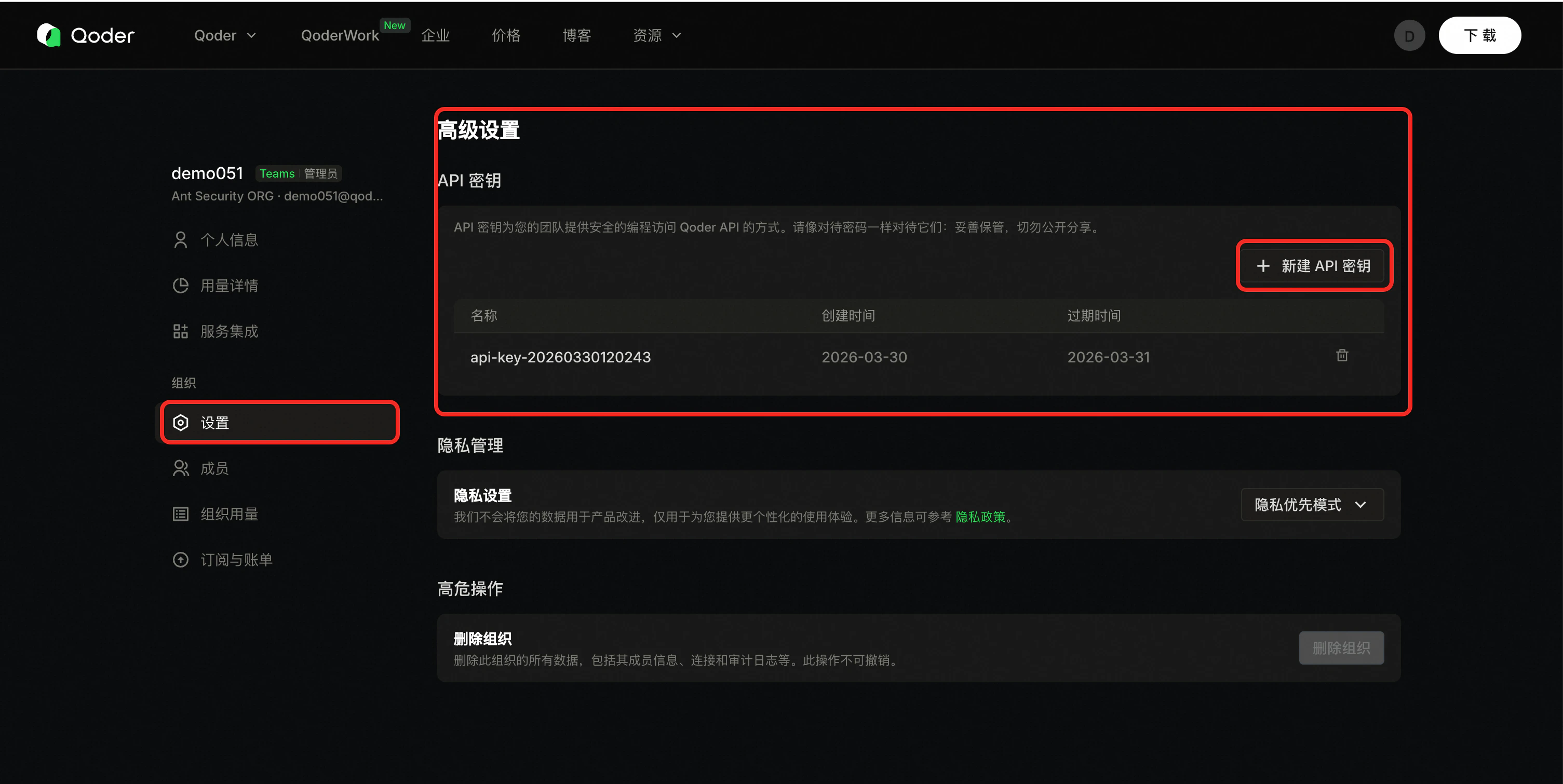
- Open the organization Settings area.
Steps
-
Open organization settings (replace
{orgid}):https://qoder.com/organizations/{orgid}/settings - In the left nav, open Settings, then Advanced, and find API keys.
- Click Create API key (or equivalent).
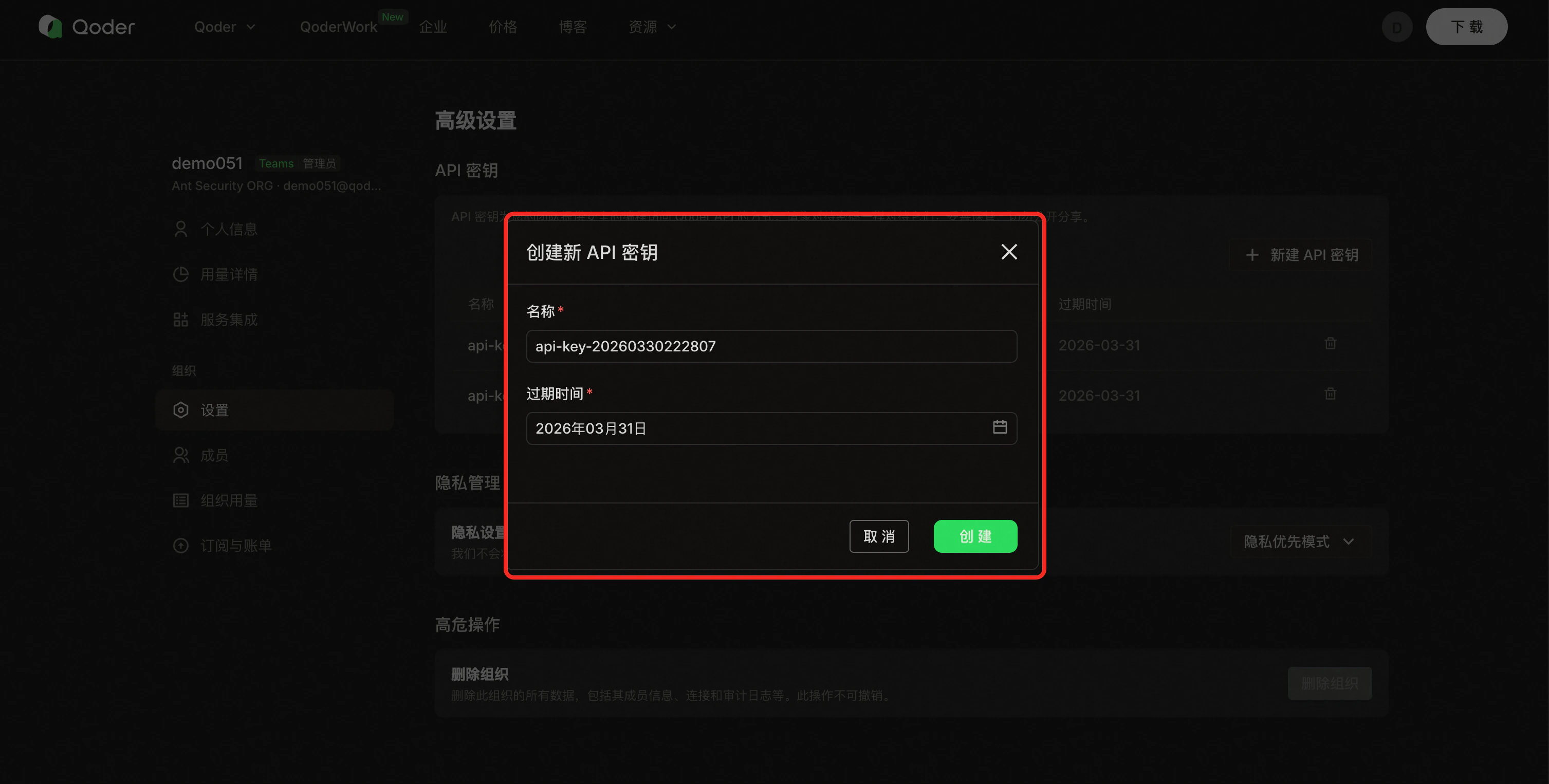
- Enter a name and expiration, then create.
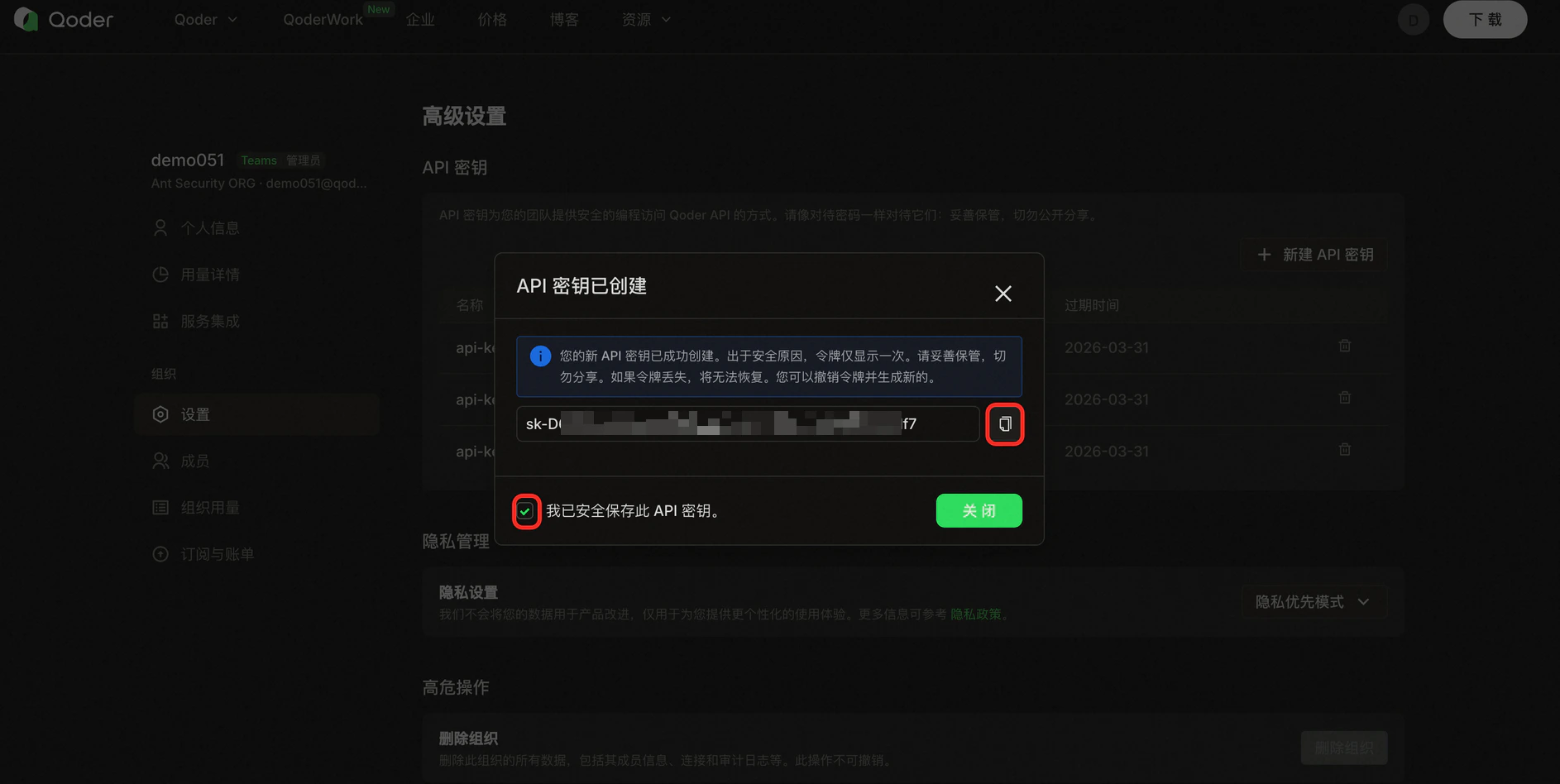
- Copy the key immediately and confirm I have saved this API key to finish.
Screenshots
Reference screenshots (UI may vary slightly in production):


Form fields
After creation
- Store the key in environment variables or a secret manager—do not hard-code.
- Use separate keys per system or environment so you can revoke one without affecting others.
- See API Key Security for full guidance.