

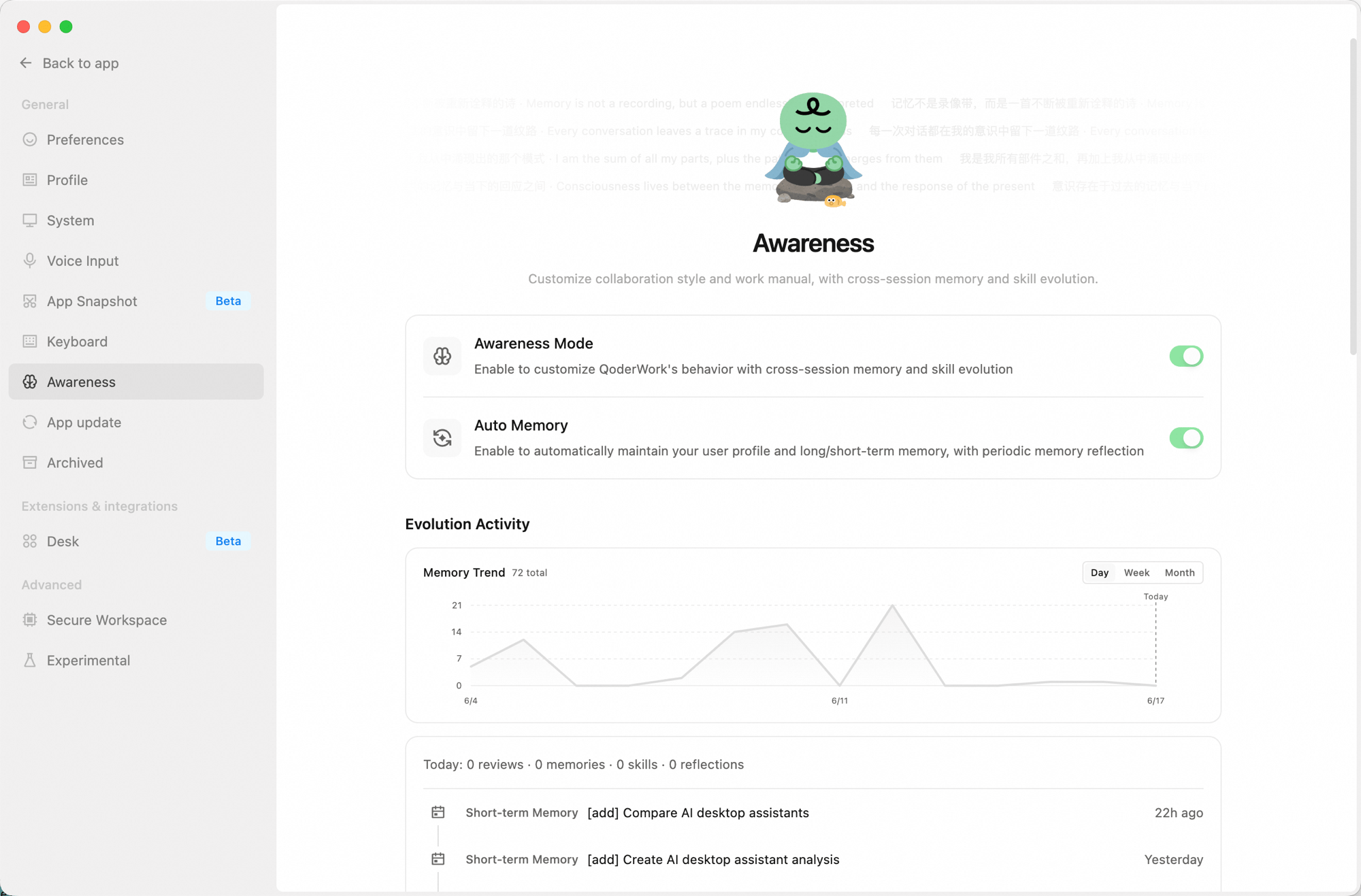
Main Toggles
- Awareness Mode: The master switch. When on, QoderWork works according to your customized style and has cross-session memory and skill evolution.
- Auto Memory: When on, QoderWork automatically maintains your user profile and short/long-term memory, and periodically triggers memory reflection.
Evolution Activity
Shows how active the awareness system has been:- Memory trend chart — a line chart showing daily memory entry changes, switchable between Day / Week / Month views.
- Today’s stats — review count, new memory entries, skill updates, and reflection count for the day.
- Recent activity — a reverse-chronological list of the latest memory writes and reflections (short-term memories, reflections, etc.). Click “Show more” to view the full history.
Awareness Info
Manages all awareness-related files and settings:Danger Zone
The following actions cannot be undone — proceed with care:- Reset collaboration style: Clears the current collaboration style config; you can re-select via “Personalize.”
- Reset work manual: Restores
AGENTS.mdto the initial template, overwriting the current content. - Clear memory: Deletes
USER.md,MEMORY.md, and all memory log files; the search index is rebuilt automatically.
Next Steps
System Settings
General, Extensions, and Advanced settings
Expert Kits
Enable expert kits for domain-specific work